

Handle Checkbox in Puppeteer
The checkbox can be handled in puppeteer using the click function. But click does not care whether a checkbox is checked or not, it just clicks which means, we cannot get the right result all the time.
To avoid that we have to check whether a checkbox is already checked or not, if checked then we should ignore it, but if not checked then we can click it and make the check box checked.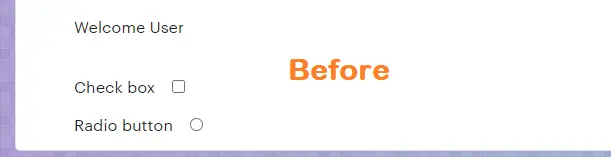
Create another module and create the logic of clicking a button as a function, then call it in your framework for code reusability.
const puppeteer = require('puppeteer');
async function run(){
    const browser = await puppeteer.launch({headless:false})
    const page = await browser.newPage()
    await page.goto('https://chercher.tech/practice/popups')
    const element = await page.$("#checkbox");
    const isCheckBoxChecked = await (await element.getProperty("checked")).jsonValue();
    if(! isCheckBoxChecked ){
        await element.click()
    }
}
run()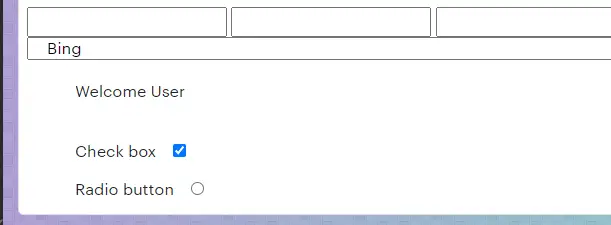
Handle Radio button with Puppeteer
We can use the same logic of the check box to radio button as well. We are using the same code below but modified the locator.
const puppeteer = require('puppeteer');
async function run(){
    const browser = await puppeteer.launch({headless:false})
    const page = await browser.newPage()
    await page.goto('https://chercher.tech/practice/popups')
    const element = await page.$("#radio");
    const isCheckBoxChecked = await (await element.getProperty("checked")).jsonValue();
    if(! isCheckBoxChecked ){
        await element.click()
    }
}
run()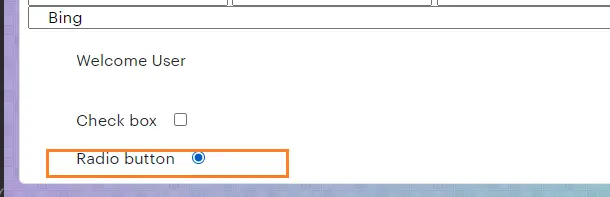
Recommended Readings
I am Pavankumar, Having 8.5 years of experience currently working in Video/Live Analytics project.
