

Introduction to Cypress IO
It has been a few years since Industry 3.0 has started which means complete Automation and digitalization. For years Selenium was used as the testing tool. Now a new era has evolved which reduced the hectic process of testing for the QA engineers and developers.
Cypress has been introduced as a solution for front-end testing which is successfully running in the real-time process. Cypress is the new automation testing tool that can be easily handled to run, write, test, and debug the tests. Cypress team quoted a cool statement,
Testing has been broken for too long, We figured it was time to fix it.
Nearly 176 organizations like NASA, Revolut, CircleCI, etc., are depending on Cypress for the End-End testing, Integrated testing, and unit testing. We can say that Cypress will be ruling the testing phase for a few more years.
People often get confused between the Selenium and Cypress. Both have different architecture. Selenium and Cypress run on the same application where the testing process is done.
While performing the tests in Selenium, we have to often download the additional library files, selenium wrapper, framework, assertion library which are the dependencies. But in Cypress, all the required files will get automatically downloaded once you install the command
npm install cypress Additionally, you can use all the cool features of Cypress if you have an updated Node.js. In real-time, the Cypress has full control in the back and front end because it constantly communicates and synchronizes with the node.js.
Cypress controls the network traffic by automatically changing the code associated with the browser. It also links with the OS of the PC for better automation purposes.
By using Cypress you can monitor the test result internally and externally, record the test, screenshot the test result, and so on. Cool isn't it?. Let's discuss the cool features of Cypress after installing this tool.
Installation of Cypress
Since Cypress is associated with node.js, it supports any type of Operating System.
Cypress can be installed only if you have node.js installed in your Windows or macOS.
- Navigate to: https://nodejs.org/en/download/
- Download the package according to your operating system.

- Install the downloaded node.js file.
- Once the installation is completed, set the environmental path in PC to recognize the node.js globally inside the PC. For this, you have to identify the path in which node.js is stored.
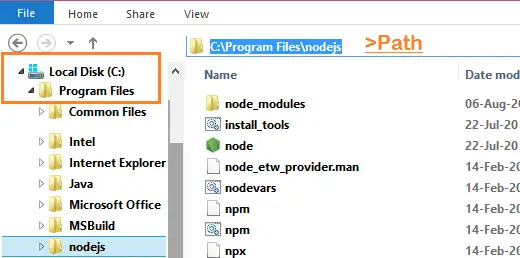
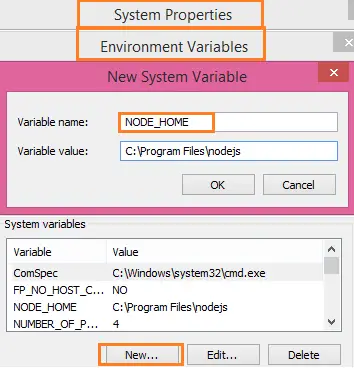
- After copying the path, go to System properties>select the environmental variable>select new in the system variables.
- Give the variable name as NODE_HOME and in the variable value paste the copied path.
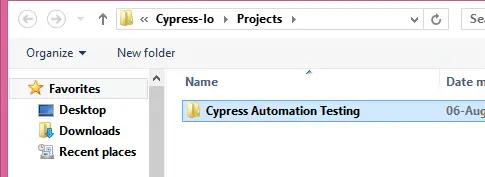
- After setting the environmental path go to the C drive>admin folder. In the admin folder, create a new folder named Cypress-Io. In the Cypress-Io folder, create a new folder named project. And in the project folder create another folder named Cypress automation testing.
Installation of VS Code:
We need a platform to write our code. Visual Studio code platform is one of the most popular editors created by Microsoft to write the javascript.
- Navigate to https://code.visualstudio.com/
- Download the VS Code according to your operating system.

- Install the VS Code like any other .exe file, go along with the recommended setting only.
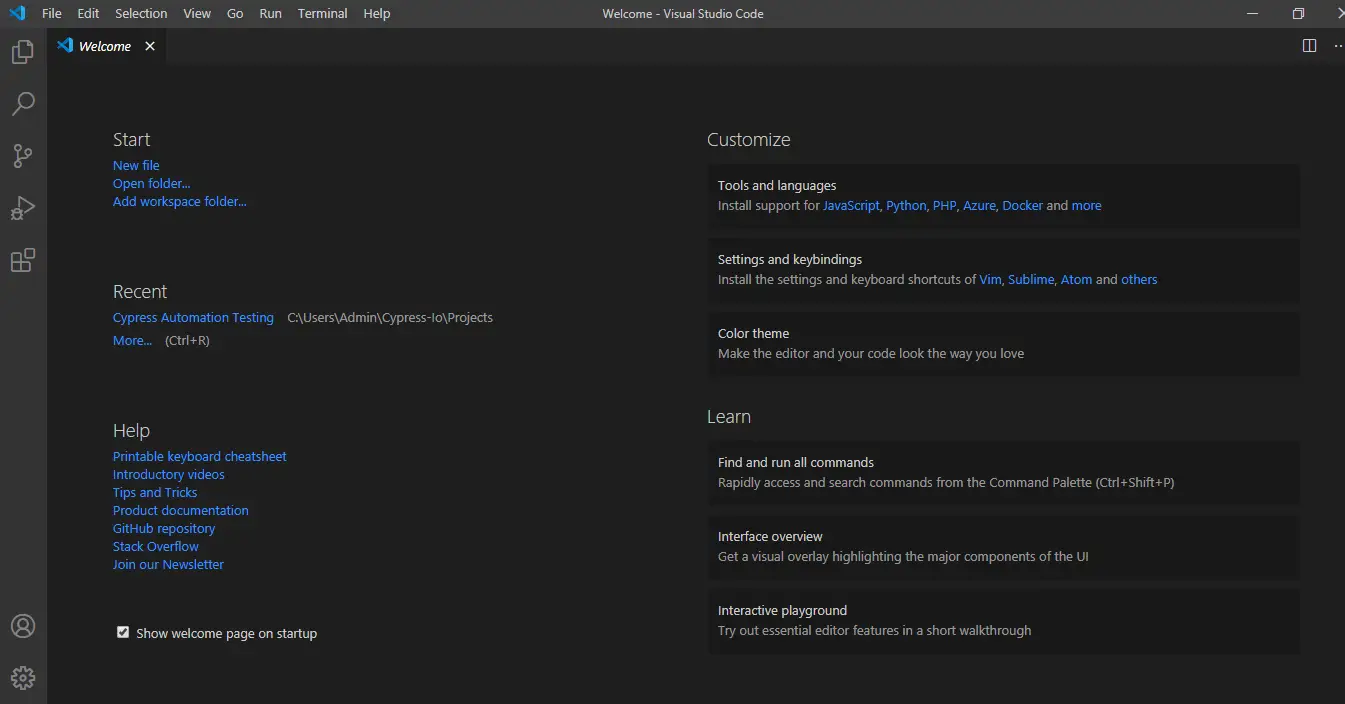
- Launch the VSCode, and UI will look like below.
Generating package.json
- Open VS code which we have already installed in our PC
- In the VS code go to file >open folder.
- Select the empty folder name Cypress Automation Testing which we have already created in the Admin folder.
- After opening the file in the VS Code, Open the terminal in the VS Code using view>terminal or a Command prompt and type
npm init. This command creates the package.json. While installing the package.json the terminal asks for the package name. You can give any name as a package name in lower case. Here I have given the name as automation.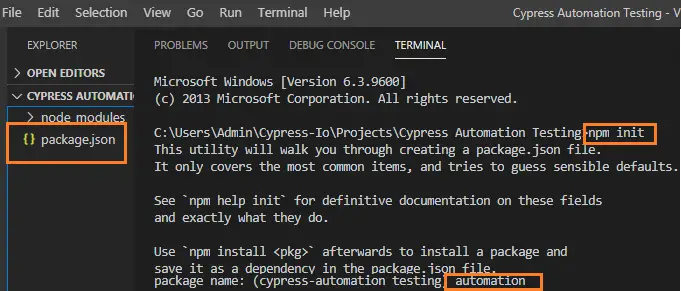
Installing Cypress
- After creating the package.json we are now good to install the Cypress.
- For installing Cypress give the command
npm install cypress --save-devin the same terminal where we created the installed.json package. - This installation process takes a few minutes. Kindly be patient till all the files are extracted.

If you have completed these steps then you have the Cypress tool in your Operating System.
Extraction and Launching of the Cypress Test runner
After the successful installation of cypress, we have to invoke the Test runner.
- Type the below command in the terminal.
node_modules\.bin\cypress open[OR]
npx cypress openIf any error occurs while opening the cypress in the windows operating system, check the slash which is used in the command line. Always in windows, use backslash '\' for any commands. - After that, you will find a new folder named cypress automatically generated in the file system and you can see it in the explorer panel.

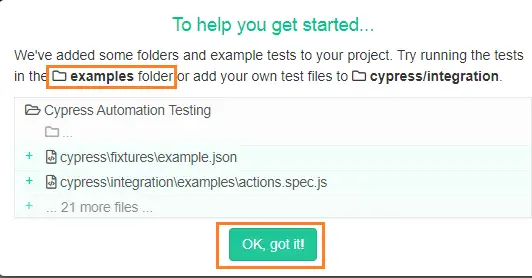
- After giving the command it takes a few seconds to launch the test runner. A dialogue box will appear as below, saying an example folder is created that contains the Testing programs. These programs are mainly available for user reference.
- After this, the test runner is automatically launched, containing the sample test programs. The Test runner will look like the below image,
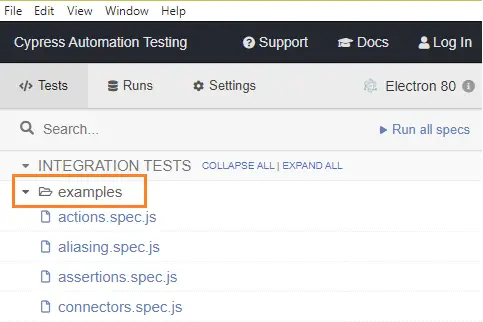
Now let's try to run any one of the test programs in the examples folder and understand how the automation works.
Example test program execution in cypress
- Select any one of the .js files present in the examples folder in the test runner. Here I have selected the aliasing.spec.js file.
- After selecting the file, The test runner is automatically prompted along with the browser. Cypress executes in the same run loop as the application.
 Successfully we now know how to launch the test runner. Let's try to explore some of the Cypress folders.
Exploring the Cypress folders
Now we are going to learn about the purpose of some Cypress folder which is automatically created in the VS Code in the Explorer section. The explorer will look like the below image in the VS Code,
- Fixtures: In this folder, the test case data are stored. While executing, Cypress contacts the fixture folder automatically to represent the test case data.
- Plugins: This folder is used to handle cypress events. It is not used much. Here we can write our customized codes like, what to happen before and after the execution of the code. So that control comes to the index file of the plugin and starts executing.
- Support: In this folder customized commands/reusable methods which are in the project is saved. Cypress specifically wants all the reusable methods to be saved in the support folder. Without saving the reusable method in the support folder is also possible but you have to create an object to invoke the method.
- node_modules: This folder is created while installing npm packages. All cypress dependencies are available in this folder.
- cypress.json: This file generally has some default configurations for the execution. We can override all the existing configurations with customized configurations. This folder is overridden at the run time.
For example, In cypress when the command is not given within 4 seconds, it will terminate the process. But you can change the timeout with the below code in the cypress.json file.
{
  "defaultCommandTimeout": 6000 //changed from 4sec to 6 sec
}
This is how cypress contacts VS code from the test runner. In the next article, we can technically learn from scratch how does Cypress works with some test programs.
Recommended Readings
I am Tharani N V, a Content writer, and SEO specialist. I have a year of experience in both technical and non-technical content writing.
