

File Upload with Puppeteer
We upload files when there is a need of uploading any file or a document on a specific website such as forms, registration pages, profile pictures, etc.
Uploading a file process includes browsing a file from the local system location and uploading it to the website.
URL: https://chercher.tech/practice/popups
You can upload file using three ways:
- fileChooser : single and multiple files
- fileUpload : single file
fileChooser
With puppeteer, we can upload the file using the fileChooser, by waiting for the element then clicking the element which opens the system-based popup to browser the file. Post that we use accept() function to accept single or multiple files.
Cancel the popup using await fileChooser.cancel()
const [fileChooser] = await Promise.all([
    page.waitForFileChooser(),
    page.click("[name='upload']"),
    ]);
await fileChooser.accept(['C:/PATH/file.png'])
The complete program for file upload in puppeteer.
const puppeteer = require('puppeteer');
async function run(){
    const browser = await puppeteer.launch({headless:false})
    const page = await browser.newPage()
    await page.goto('https://chercher.tech/practice/popups')
    const [fileChooser] = await Promise.all([
        page.waitForFileChooser(),
        page.click("[name='upload']"),
      ]);
    await fileChooser.accept(['C:/PATH/xyz.png']);
}
run()
Upload Multiple files with puppeteer:
You can check whether a field accepts multiple files using isMultiple(), return true if the field accepts multiple files otherwise false.
await fileChooser.isMultiple()You can upload multiple files by providing all the files in the array delimited with a comma.
await fileChooser.accept(['C:/PATH/file1.png', 'C:/PATH/file2.png', 'C:/PATH/file3.png']);File upload error:
Puppeteer throws an error if the given file path is not present in the system.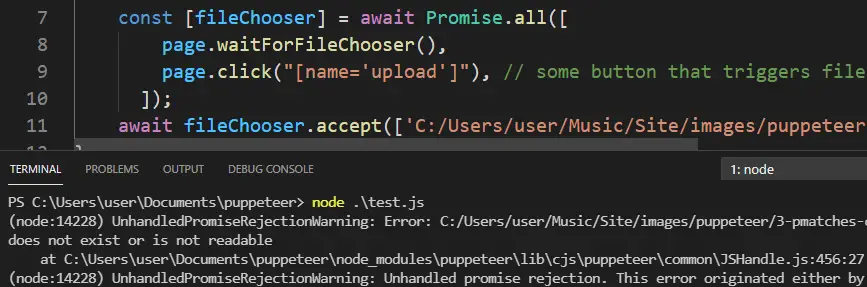
(node:14228) UnhandledPromiseRejectionWarning: Error: C:/Users/user/Music/Site/images/puppeteer/3-pmatches-composite-xpath.png
does not exist or is not readable
    at C:\Users\user\Documents\puppeteer\node_modules\puppeteer\lib\cjs\puppeteer\common\JSHandle.js:456:27
(node:14228) UnhandledPromiseRejectionWarning: Unhandled promise rejection. This error originated either by throwing inside of
fileUpload
We can use the fileUpload() function on elementHandle to upload the file to the element. First, we need to find the element then use the fileUpload(filepath) function.
const puppeteer = require('puppeteer');
async function run(){
    const browser = await puppeteer.launch({headless:false})
    const page = await browser.newPage()
    await page.goto('https://chercher.tech/practice/popups')
    var up = await page.$("[name='upload']");
    await up.uploadFile(['C:/PATH/xyz.png'])
}
run()
Recommended Readings
I am Pavankumar, Having 8.5 years of experience currently working in Video/Live Analytics project.
