WDIO Conf File in WebdriverIO
WebdriberIO consumes its own test runner file which helps the process of constructing your WebdriverIO framework. WDIO file is simply a configuration file that contains settings that are passed on to our tests
wdio.conf file is similar to your protractor.conf file and testng.xml file, it holds all the execution details of the framework
The starting point of the WebdriberIO tests is wdio.conf.js file
We can configure the below items using the wdio conf file.
- Tests
- Hooks
- Browsers
- Test Frameworks
- Reports
- Environmental variables
- Log levels
Create Wdio Conf File
Like in other languages, the wdio package helps us to create the wdio.conf file with a simple command. Type the following command on your terminal, make sure that you are in the same folder as your node_modules folder.
Do make sure that there is no wdio.conf file is present in your directory, because if the file is present then WDIO will start running that file instead of creating a new wdio.conf file.
.\node_modules\.bin\wdio
			or
.\node_modules\.bin\wdio config
Once we type the above command it will as for the following details. Green highlight means, the answers that I have chosen
Where should your tests be launched?
Choose whether you want to run your testing local or in different machine, Hit enter after choosing
Shall I install the runner plugin for you?
This is related to the first Question, it is asking if you have chosen some option and if it is not present in our system, then we can provide Y. WDIO will install this packages for us. Press N if you do not want to install packages.
Which framework do you want to use?
There two popular frameworks in javascript testing which are Jasmine & Mocha, we can use either one of them. Both will provide almost the same kind of style in writing the tests.
Shall I install the framework adapter for you?
Asking whether to install the above chosen testng framework for you or not.
Do you want to run WebdriverIO commands synchronous or asynchronous?
synchronous means every command in webdriverio will be executed one after another just like normal sequential flow. asynchronous always triggers all the commands at once, so things will try to get executed at parallel flow.
Where are your test specs located?
Location of test/spec file where we code our automation tests. We can choose any folder we want to but make sure you are having the only test in that folder.
If other files present in that same folder that you do not want to execute then use the correct regex.
Which reporter do you want to use?
You can choose which report you want to use for your webdriverio tests result.
Do you want to add a service to your test setup?
We are running our file in a local machine using the selenium-standalone jar file, So I will choose the same
Level of logging verbosity
This is the log level from the protractor, based on the requirement choose your log level
What is the base url?
The first UL the browser should open with, by default it opens with data, you can provide any url that in your mind. This will be useful when you are trying to use the relative url in your code on the tests 
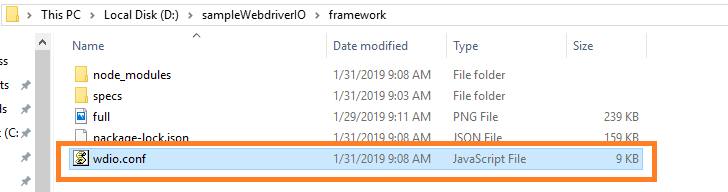
You should find wdio.conf.js file in your folder if everything goes fine.