Introduction to Git
Git is an open source distributive version control system, we can also call Git as a type of Backup.
Git holds the history of all kind of operations which you have done in each updated versions, it also tracks the files, holds commit history, and allows you to make changes, undo changes you have made before.
Git allows one or more people to work as a team on the same project and we call this process as a collaboration.
Git also supports branching hence it will improve the quality of the project. and Git version controls nearly any kind of text-based files.
Who Needs Version Control System
Most of the people who are using the version control system nowadays, the first most group of people are:
- Software developers
- software engineers
- software programmers
The above three groups obviously need a version control system for programming their source files as they use it for developing Java, Ruby, C, C++, objective c, etc.
And also a web designer group artist who wants to save their original art can also use Git version control system.
As we know Git is a distributed version control system, it allows most of the operations to be done on local, means it does not require any internet connection. and there are very few operations which require a network connection.
Because of its distributive nature, Git has a huge demand or scope in the software field. free and open source property also one of the main reason for its popularity.
We can also integrate Git with other tools like text editor, bug tracking system, and build servers which are used by developers.
Git Workflow Life Cycle
Here we will go through the basic Git workflow and some basic key concepts.
The following three states are specific to the Local Git Repository.
Working Directory:
A working directory is used to modify the files, where it is a directory or folder on the computer which contains all the project or application files.
The files within the working directory may or may not be controlled by the Git.
There will be a hidden folder called .git folder that contains the actual git repository.
Staging Area:
The staging area is also called as Index, where the staging area holds /keep all the files which are in the queue for next commit.
The files which are present in the staging area are not committed yet. we can move the files in and out from the staging area without affecting the git repository and its history of changes.
Once you perform commit operation git sends files from staging area to the repository and once you complete the push operation it will permanently store the changes in the git repository.
Git Repository:
Git Repository is the one which contains all the files with respect to the specific project application.
Git Repository also contains commit history and special configurations in it.
Git Installation
- We have to install Git in our operating system to use Git for our projects.
- Navigate to https://git-scm.com/downloads
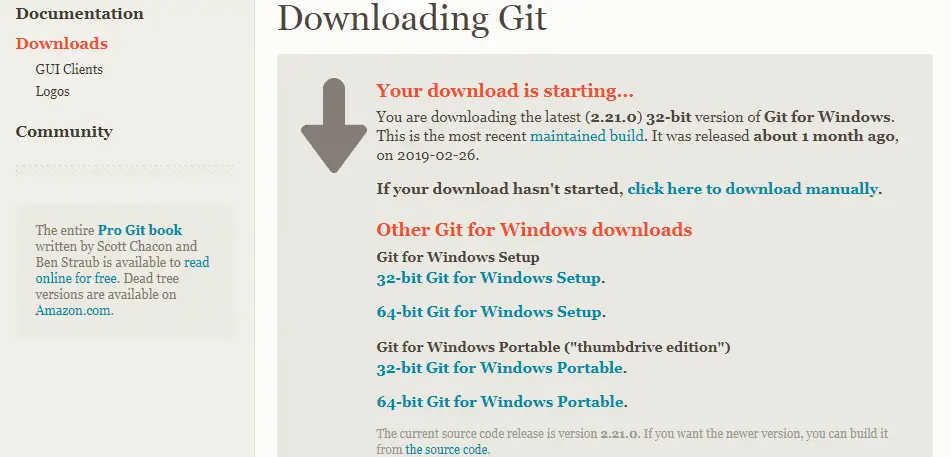
- Now Download the latest version of the git for windows, here we are downloading 2.21.0 version.

- Click on the Windows Button, it will ask you to select the windows set up and then select according to your system configuration.
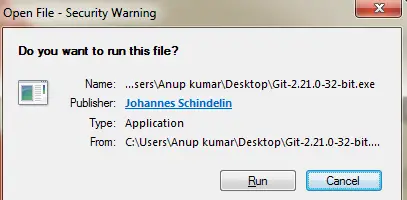
- Click on Run.
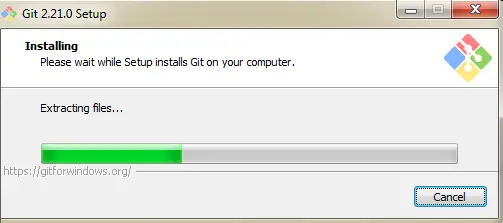
- Git starts extracting the files, once it completes installation click on next.

- Select the Destination path and click on Finish.

- Now, you can verify whether Git has installed in your system or not as shown below:
- Open a Command prompt and enter git version command, if it returns with the version then Git has installed in your system.
Create a GitHub Account
Github: It is Web-Based Hosting service mostly used for version control System through Git.
Now to understand the entire Git workflow in the local and Remote side we need to create a remote repository by using the GitHub and then we can replicate the remote repository in the local system.
- Once we have done with all the operations, finally we can synchronize back to the Github. now let's see how to create a GitHub Account.
- Open a browser and navigate to https://github.com/
- If you already have an account means your directed to sign in a page or else goto sign up.

- Enter Valid credentials like username, email id, and password and click on sign up.
- Now it will take you the Welcome page and there, you need to select the plans as Github is an opensource and it will offer free service hence select the plans according to your need.
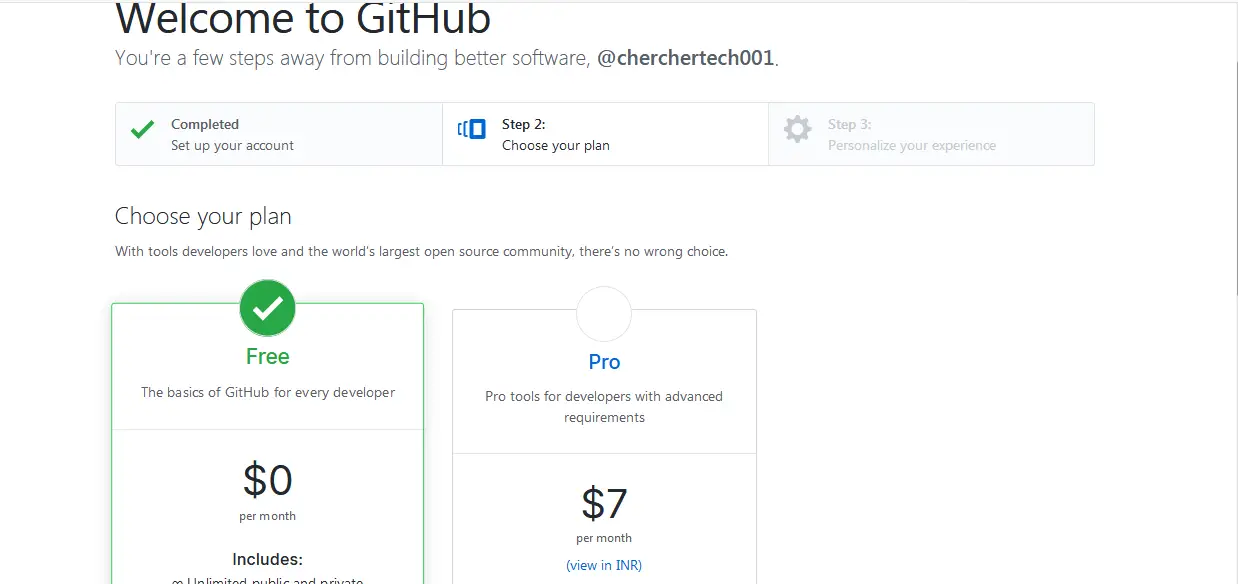
- Now your Github account has created.
Creating a Git Repository
- Open Github Account, and in the main page right corner click on the " + " sign, you will suggest with a new repository, new project, etc.. select New Repository.

- Enter new repository name you wanted to create and select initialize this repository with README.md and click on Create Repository.

Configure Github Account
Before we proceeding further with Git, we need to configure Git repository. Git Requires two information such as username and email id.
- Open Git Bash.
- Enter the below Commands in the command prompt.
$ git config --global user.name "your username"$ git config --global user.email "your email id"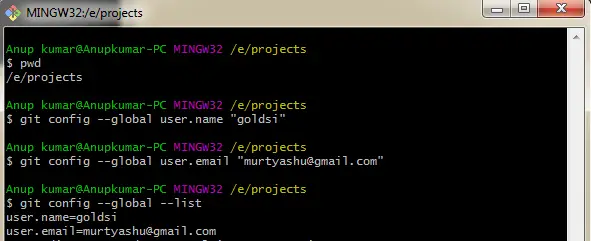
- Navigate to Github account and open your new repository and now you wanted to copy remote repository into the local system through a process called cloning.
- copy the repository URL from the main repository page.

- open a command prompt and enter the command as shown below.
$ git clone https://github.com/goldsi/github_demo.git
- Once we have done with cloning operation pass the command like
$ lsthen it will list all the files which are present in the project folder, then docd github_demo/you will be directed to the github_demo. - Now pass
$ git statuscommand the repository tell us that it is on its master branch where the master branch is the default branch for Git Repository. - Let us see the relationship between the working directory, staging area, local repository, and remote repository by adding some text files.
- First, create a simple text file by using the echo command.
$ echo "test quick start" >> great.txt
- Now press ls command, you can see the great.txt file in the working directory.
- Use
$ cat great.txta command to see the content of the text file. - The great.txt file is showing under an untracked file because it does not add to the Git yet.
- Now, let's add a text file to the Git by using below command.
$ git add great.txt- Then check git status, it will show you a file in the staging area.

- Commit the file in the staging area using the command
$ git commit -m "adding text great txt file".- Hence it will give you the below output
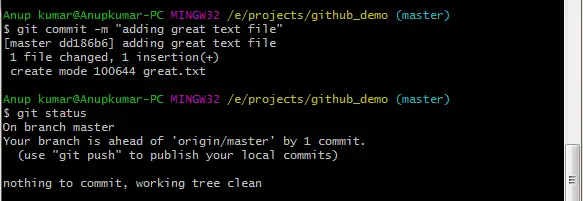
- Since once you have done the commit operation git returns as the working directory is clean.
- But Still, our file is in the local repository, its still not on the Github.
- Add these file to Github by push operation.
$ git push origin master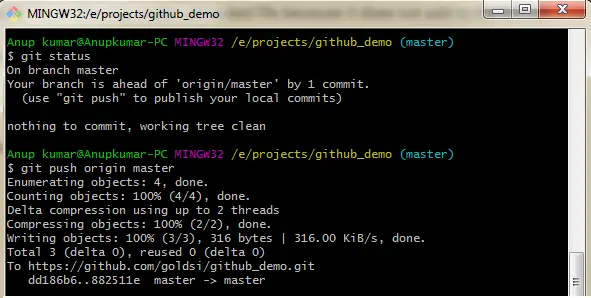
- Here push command specifies the remote name which is the origin, which is set up when we did cloning.
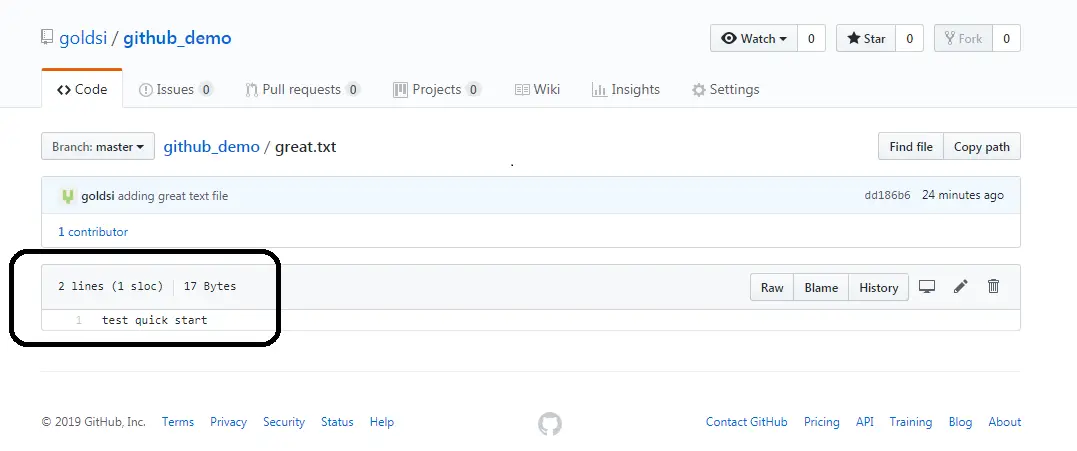
- Once done with the push operation, we can check our results by refreshing the main page we will be able to see the great.txt file on the remote repository on Github.
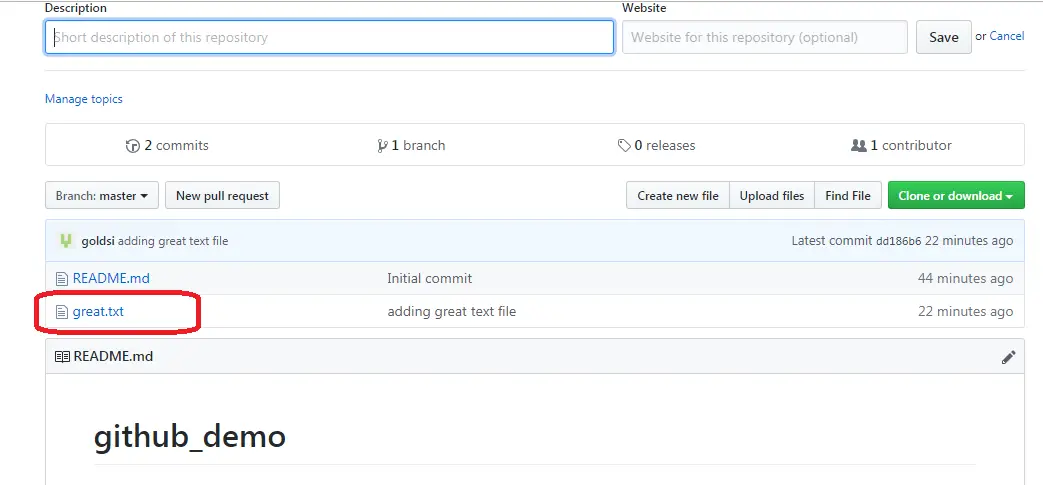
- If everything works well then we can see the text inside the great.txt file.